Choose a skill, not a level.
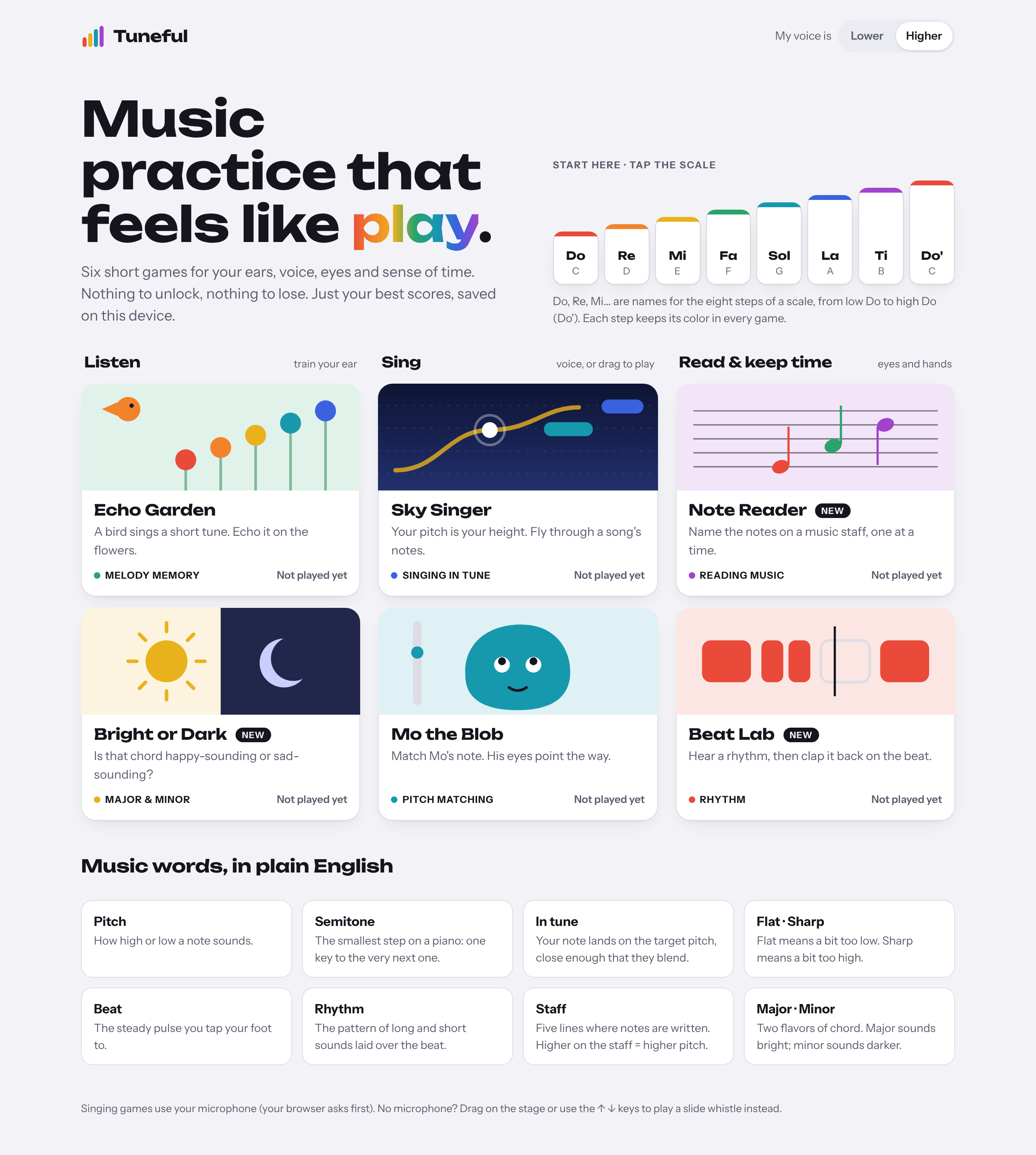
All six games are available from the start, grouped into listening, singing, and reading & rhythm. Pick what feels interesting and leave whenever you like.
A little music.
A little spare time.
A commute, a wait, a break between things. I wanted music practice to fit into those moments, without feeling like another task to finish.
Tuneful is a collection of six short games for melody, pitch, rhythm and reading notes. I shaped the product and interaction design, then built and iterated on it with Claude.
The first direction borrowed a familiar lesson path, with XP and hearts. I moved away from it: the product should invite a quick experiment, without making someone commit to a course.
All six games are available from the start, grouped into listening, singing, and reading & rhythm. Pick what feels interesting and leave whenever you like.
I kept personal bests saved on the device, while removing locked progression and hearts. A small record of progress gives people something to return to without a daily obligation.
A wrong answer should offer a way forward. Each game turns a musical idea into something you can see, hear and try again.
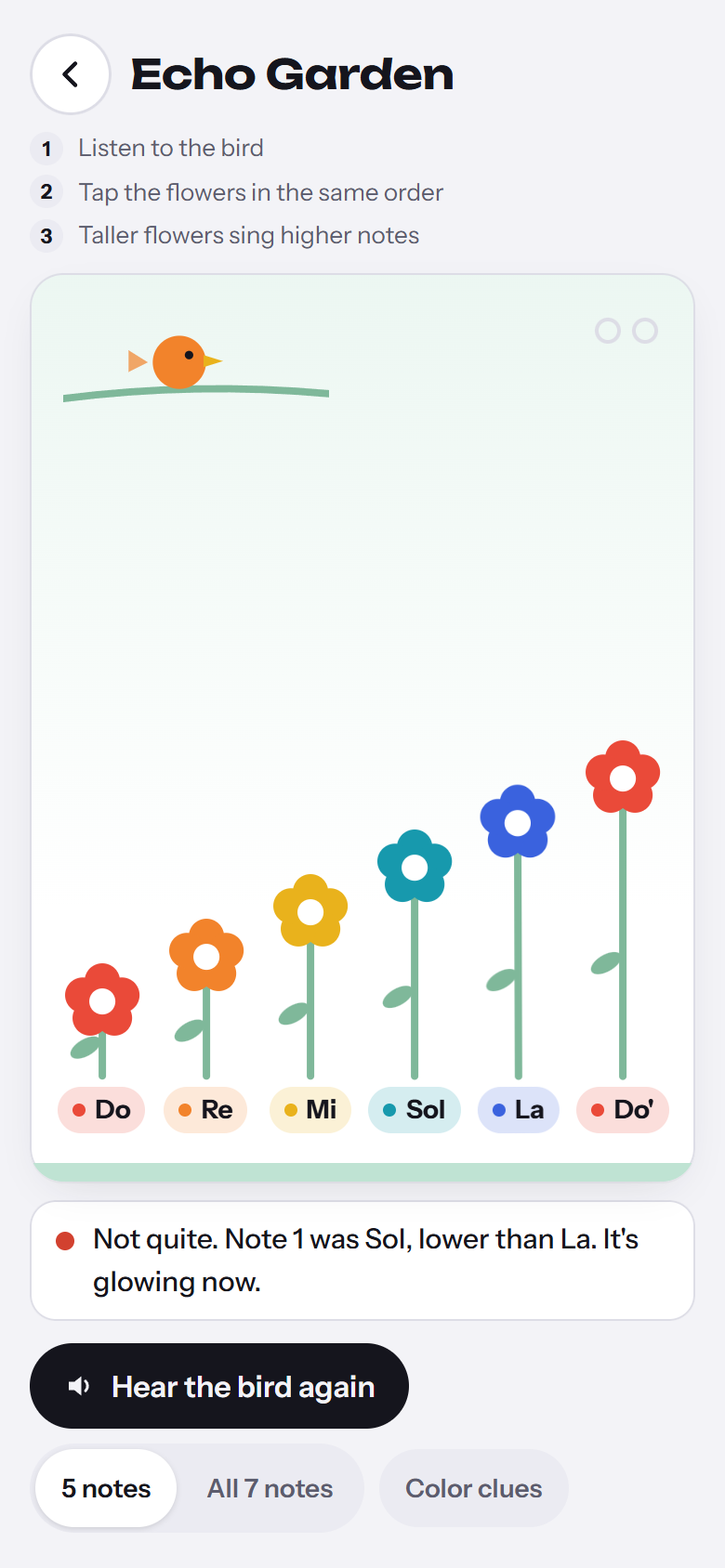
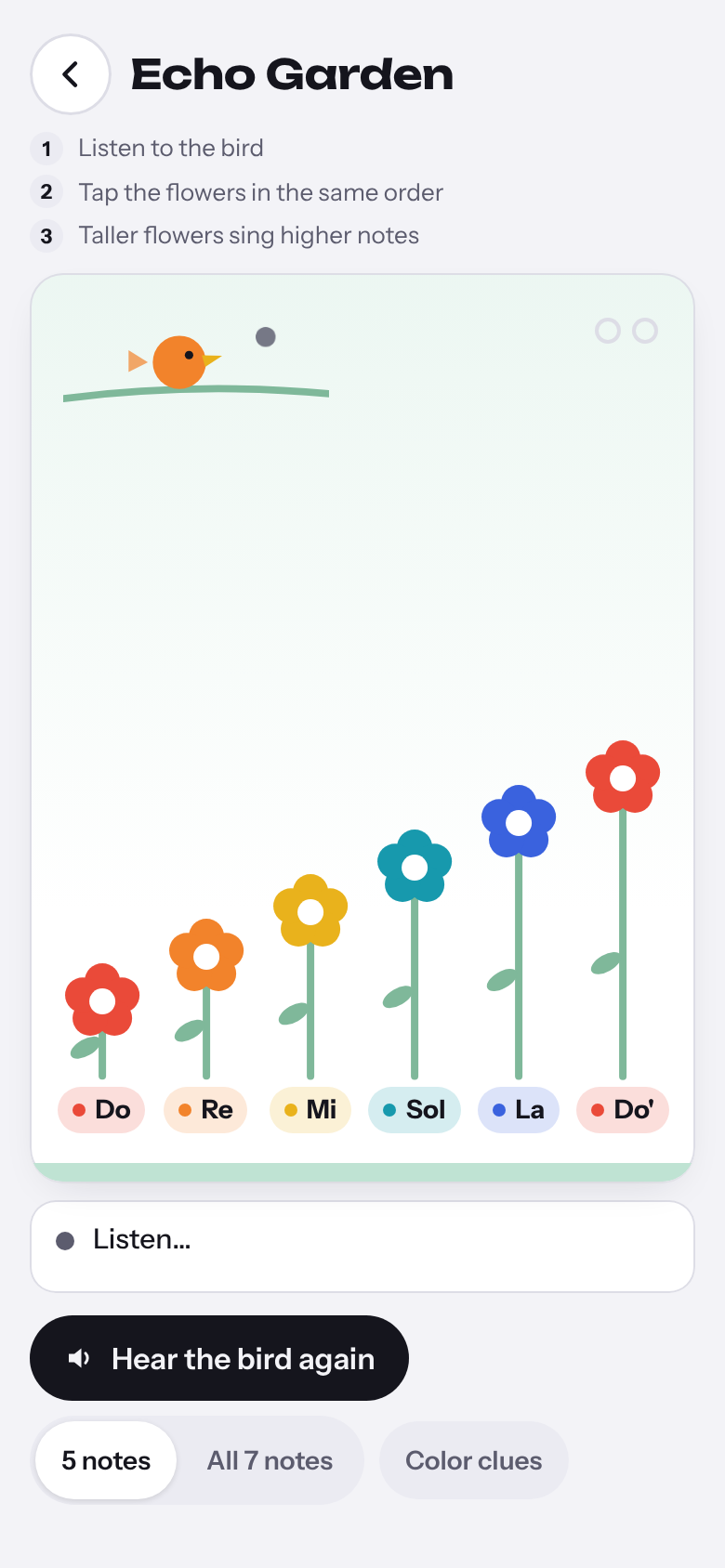
Echo Garden lights up the correct flower and explains “higher” or “lower.” After repeated misses, the melody gets shorter.
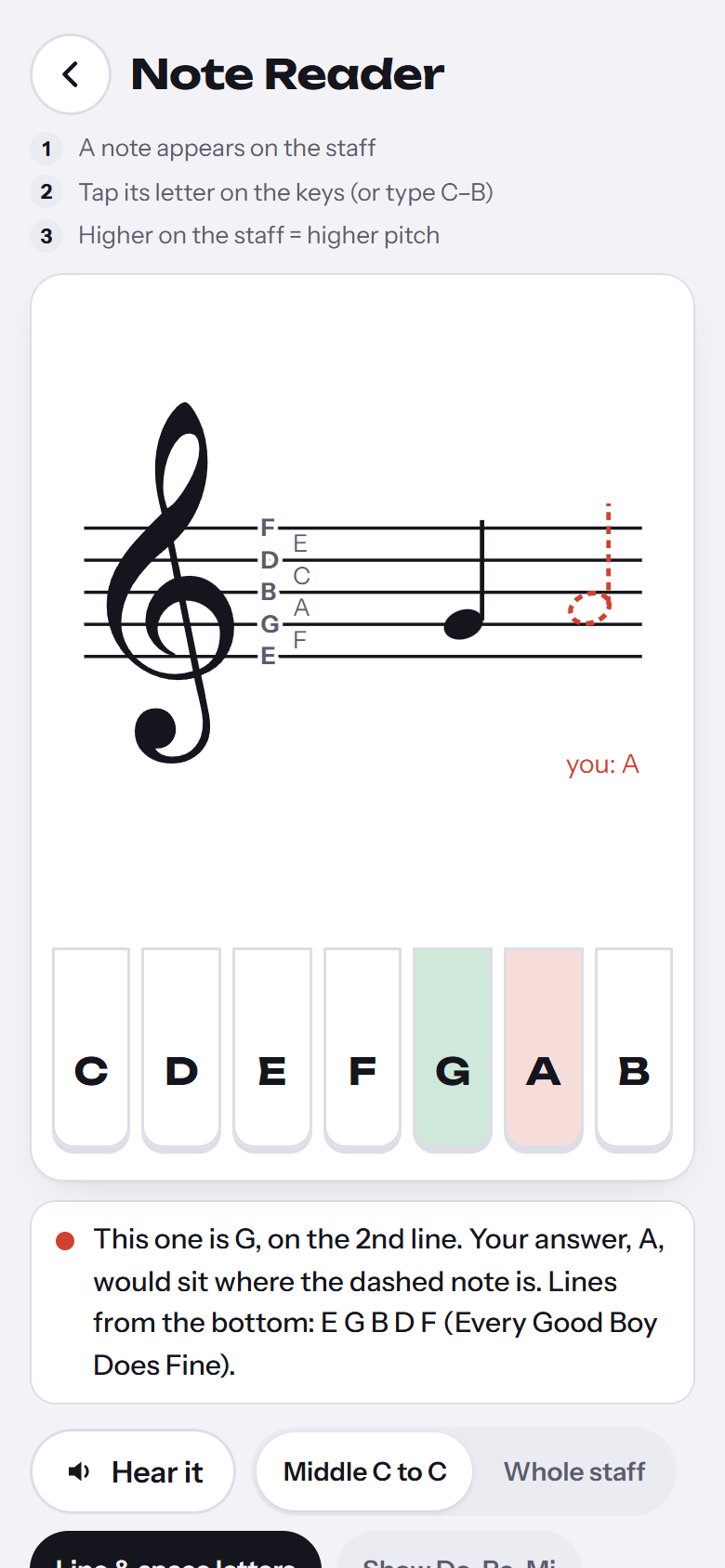
Note Reader shows a ghost note where your answer would sit on the staff, making the difference visible.
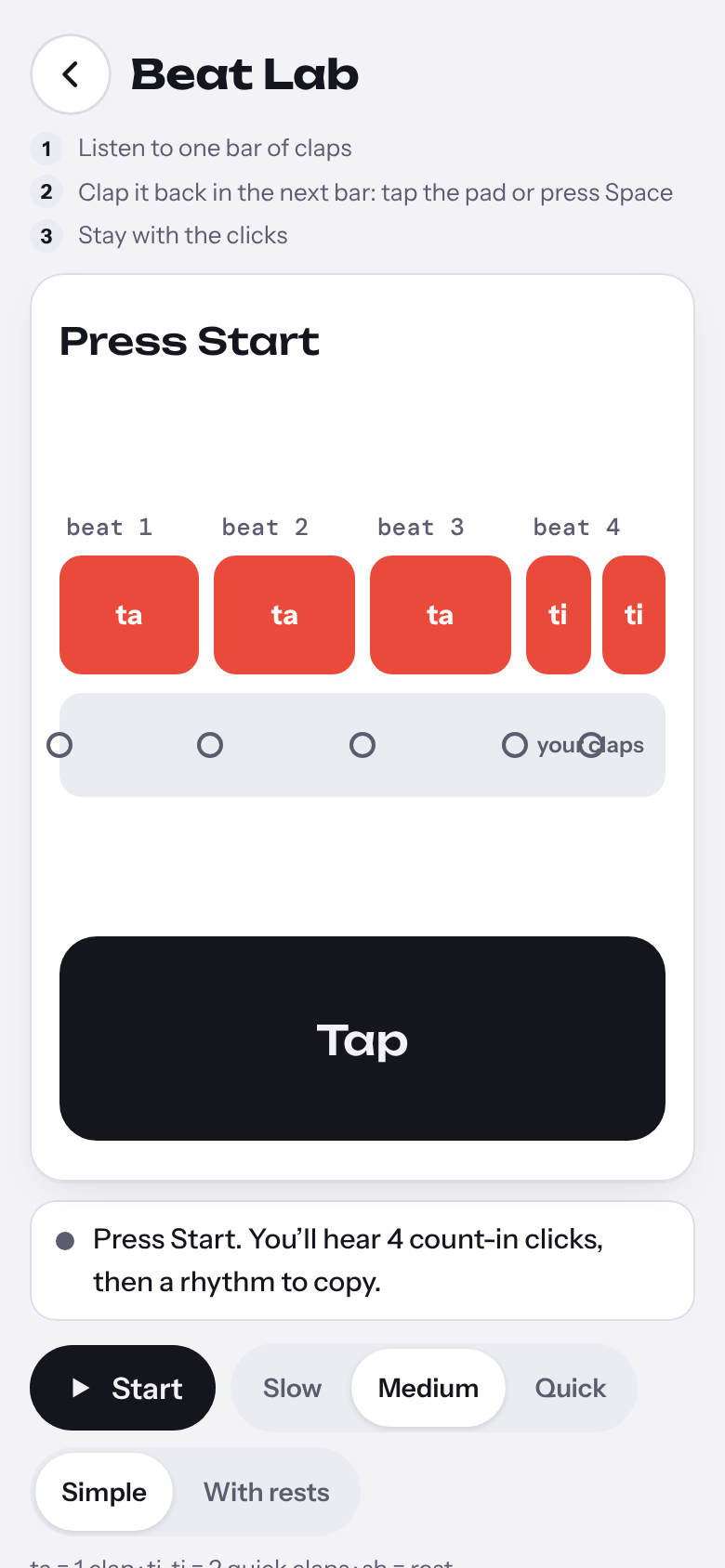
Beat Lab tells you whether you were early, late or missed a clap, then repeats the pattern for another attempt.
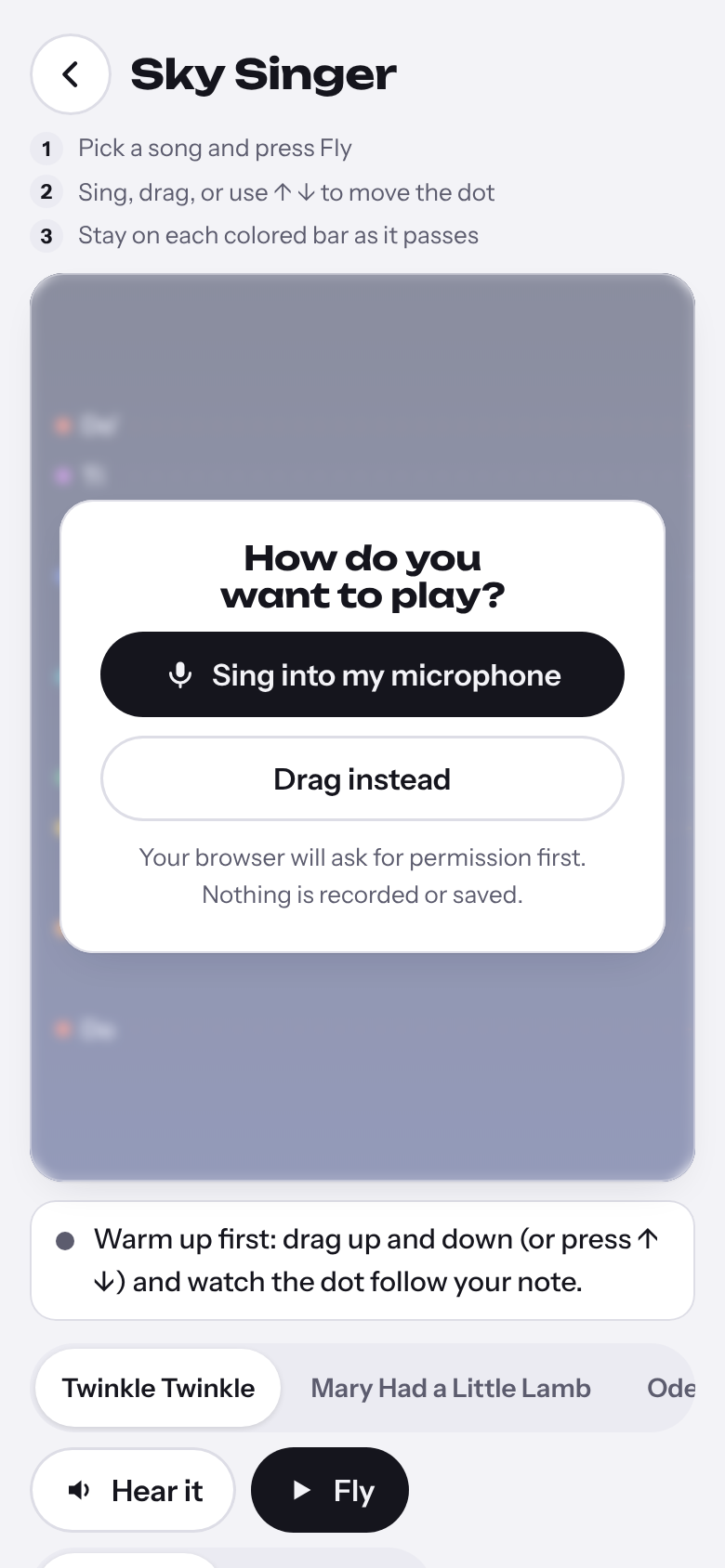
When I tried singing on my phone, the browser never asked for microphone access. The games opened in drag mode; “My voice” was tucked into a small toggle.
I replaced that hidden step with an upfront choice: sing into the microphone or drag instead. Permission is requested only after choosing to sing, with a fallback if access is blocked.
For a commute, the tap-based games work with headphones. Singing can wait for somewhere more private; dragging offers another way to explore pitch.
I directed the product choices and revisions; Claude supported implementation and scripted checks. Sound, pitch detection and feedback run in the browser, with no account required.
Checks included simulated touch, keyboard play and synthetic audio, informed by five AI-persona reviews. Real learner testing and on-device iPhone audio validation are next.
A few minutes to spare?